
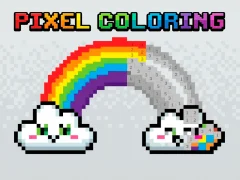


Pixel Coloring and the numbered pixel-art sketches you fill square by square
Pixel Coloring puts you inside a For Children coloring game built around numbered tiles and preset palettes. You zoom into each retro picture, then match every square to the color it already asks for, one block at a time.
Match the number to the color
The main task is simple but exact: find the number inside a square, then place the matching shade in that spot. Because the colors are chosen for you, the focus stays on careful filling rather than picking pencils, which makes each picture feel like a neat coloring grid.
Zoom in on the retro pixel art
The game gives you small, blocky artwork that benefits from close inspection, so zooming in helps you avoid misses in dense areas. That retro look fits the pixel-art style well, and the finished image only appears when every numbered square has been covered correctly.
Mouse or Touch control
You can paint with Mouse or Touch, so the same number-filling process works cleanly on desktop and on a phone or tablet. If you want a similar fill-by-number challenge, Color by Numbers and Pixel Art follow the same kind of precise matching, while Diamond Painting by Number swaps squares for gem-like pieces.
That structure makes each image feel clear to complete, and you can keep going through different sketches without any download or signup.