
ArmedForces.io — free online game
ArmedForces.io
8.5 / 10
Loading...
ArmedForces.io — free online game
ArmedForces.io
Don't like this game?
Tell us why
Continue on your phone
Scan the QR code to open this game on your mobile device
How to play
ArmedForces.io — free online game

ArmedForces.io

Rating
8.5 (297 votes)
Technology
HTML5 (Webgl)
Platform
Browser (desktop, mobile, tablet)
Screen Orientation
Landscape
Release
June 2022
Last Update
June 2026
Name
Armed Forces
Category
Multiplayer

ArmedForces.io puts tactical gunfights and objective modes first

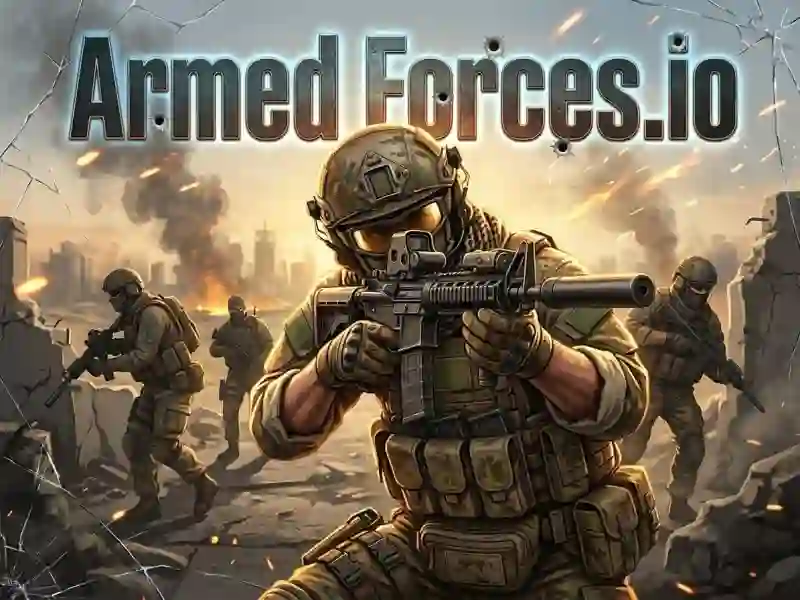
ArmedForces.io drops you into a fast online shooter built around pre-match loadouts, cover, and sharp angle control. As a .io shooter, it sends you through city streets, trenches, and open firing lanes, so every peek matters.

Choose the mode that fits your fight

You can jump into Team Deathmatch, Free for All, Capture the Flag, Bomb Defuse, or Gun Game, and each one pushes you to play differently. If you want a close mechanical match, Hazmob FPS also leans on multiplayer firefights and mode-based matches.

Build your loadout before the round starts

Before the match begins, you pick from assault rifles, pistols, sniper rifles, grenades, and a melee knife. Body armor and medkits matter in the middle of a fight, and the weapon swap keys let you react fast when a push gets messy.

Use cover, mini-map reads, and smart movement

Shift lets you sprint, 1, 2, and 3 switch weapons, H grabs a medkit, and the mini-map in the top-left shows nearby threats. That makes the game feel like a war-styled arena where you win more by timing your peek than by spraying from the open.

Matches last 10 minutes, so there is always a clear race to either outscore the lobby or finish the objective first. If you like another tight multiplayer arena, Crazy Shooters and Mini Shooters both scratch a similar no download and no signup itch in your browser.

Your kills and wins earn coins, which you can spend on stronger weapons, better armor, and supply drops with rare gear. For a more squad-focused opener, Rebel forces keeps the military tone while Sniper vs Sniper narrows the fight to precision duels.

Platform

Browser — desktop, mobile and tablet

Release

20 june 2022

Last Update

27 june 2026

How to play

PC

  • WASD / arrow keys — move
  • Mouse + left click — aim / shoot
  • Right click — sniper scope
  • Shift — sprint
  • C — crouch
  • 1 / 2 / 3 — switch weapons
  • E / F — interact
  • G — grenade
  • H — medkit
  • N — score table

Smartphones and tablets

  • Joystick — move
  • Touch — aim / shoot
  • Buttons — switch weapons

FAQ — Frequently Asked Questions

What is the game Armed Forces about? io?

This is a multiplayer FPS shooter with a military style. You fight against real players in Team Deathmatch, Capture the Flag and Bomb Defuse modes. The goal is to score more frags and defeat the enemy team.

How much does Armed Forces cost? io?

The game is completely free. You can play directly in your browser without payment or registration.

What devices does the game work on?

On PCs, smartphones and tablets. Launch through any browser without downloading.

How to control the game?

On PC:

  • WASD/arrows — movement
  • Mouse + LMB — aim/shoot
  • PKM — sniper scope
  • Shift — sprint
  • C — sit down

On the phone:

  • virtual joystick and buttons on the screen.

What modes are there in ArmedForces. io?

The game has 5 modes: Team Deathmatch, Free for All, Capture the Flag, Bomb Defuse and Gun Game. All are available offline and online.

How to get new weapons?

You earn coins for killing and winning matches. You use coins to buy rifles, pistols and sniper weapons at the equipment store.

What is supply drop in the game?

Supply drop — a random box with rare weapons or armor. You get it for coins. The box gives you an advantage over opponents with basic equipment.

How to improve armor?

You buy armor in the equipment menu for coins. Higher armor class absorbs more damage and allows you to survive longer in close combat.

Is progress saved?

Yes. Coins and purchased equipment are stored in the browser. Progress remains until you clear the site data.