

Tower Defense and the castle lane push
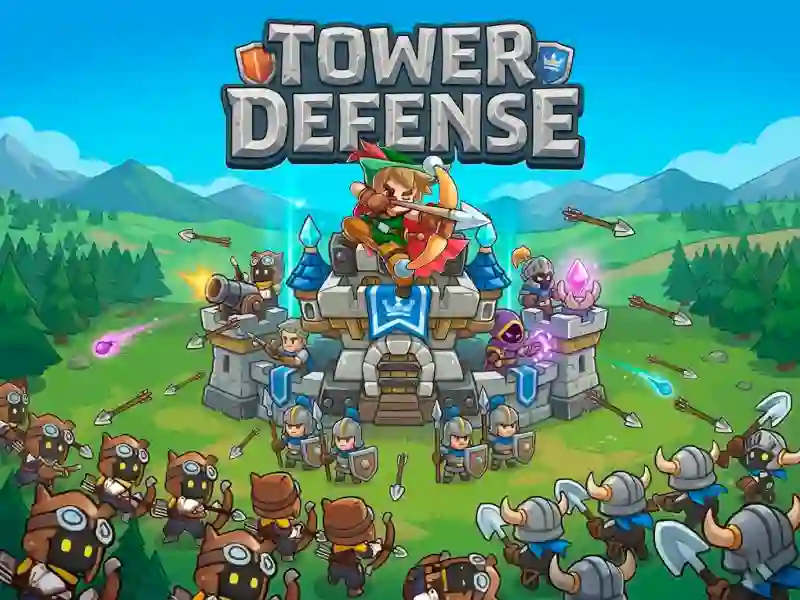
Tower Defense puts a castle in the center of the map, then sends enemy soldiers straight down the lanes toward it. You answer by dropping defenses, choosing targets, and shooting a crossbow while you handle this Strategy & Management setup in your browser with no download and no signup.
Place towers where the lane pressure builds
Every tower has its own attack power and special ability, so placement matters as much as the upgrade you buy. A spot that looks safe can turn into a weak point once stronger soldiers start absorbing hits, which is why the map needs constant attention.
Points, upgrades, and new soldiers
Each defeated enemy adds points to your pool, and those points feed the next choice. You can strengthen towers, summon fresh soldiers, or equip different weapons for your army, then keep adjusting as the waves change.
Mouse click or tap defense control
The controls are simple to read but still ask for timing: mouse click or tap to place, target, and manage the fight. That makes it easy to play on desktop or mobile while you line up the right defense against each advance.
If you want more lane-focused pressure, Medieval Defense Z and Doomsday Tower Defense both lean on route control and careful coverage. The tower roster also fits the Towers and Defense ideas without wandering away from the castle frontline.