

Kingdoms Wars და კამათლით მართული რბოლა ტერიტორიებისთვის
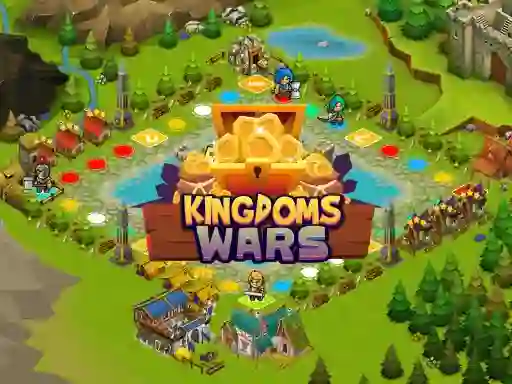
Kingdoms Wars ყოველ სვლას კვადრატულ რუკაზე გადააქვს, ამიტომ შენი სვლა ყოველთვის იმაზეა, სად წაგიყვანს ეს რიცხვი შემდეგ. ის თამაშდება როგორც მულტიპლეიერი სამაგიდო მატჩი, ზღაპრული განლაგებით, რომელიც თითოეულ უჯრასა და საზღვარს ადვილად წასაკითხად ხდის.
გააგორე, იმოძრავე და ბადეზე ხაზი აირჩიე
კამათელი წყვეტს, რამდენად შორს შეძლებ გადაადგილებას, მერე კი ირჩევ მარშრუტს, რომელიც სადავო მიწაში უფრო ღრმად შეგიყვანს. შემთხვევითობისა და გზის შერჩევის ეს ნაზავი თითოეულ სვლას მკაფიო მიზანს აძლევს, განსაკუთრებით მაშინ, როცა ერთი შედეგი რამდენიმე უჯრას ხსნის ან ჩიხში გაყენებს. შეგიძლია ითამაშო ბრაუზერში ჩამოტვირთვისა და რეგისტრაციის გარეშე.
რადგან დაფა სვლებზეა აგებული, დრო გაქვს, გააკონტროლო საერთო გზები და გადაწყვიტო, როდის წაიწიო წინ ან როდის დაიხიო უკან. ეს თამაშს უფრო ბრაუზერის სტრატეგიის მატჩს ამსგავსებს, ვიდრე სწრაფ რეაქციაზე აგებულ თამაშს.
დაიკავე სივრცე, სანამ მეტოქეები გზას გადაგიჭრიან
მიზანი მარტივია პრაქტიკაში: რუკის მეტი ნაწილი დაფარო, ვიდრე სხვა მოთამაშეებმა. საწყისი არე ყველას ერთსა და იმავე მარშრუტებზე მიმართავს, ამიტომ მეტოქის წინსვლის დაბლოკვა ისეთივე მნიშვნელოვანი შეიძლება იყოს, როგორც ახალი მიწის ხელში ჩაგდება.
თუ გინდა იგივე ტერიტორიის კონტროლის კუთხე, Takeover მიწის დაპყრობაზე ამახვილებს ყურადღებას, ხოლო Dice & Flag კამათლით მართულ დაფის მოძრაობას იზიარებს. შუასაუკუნეების გარემო ასევე კარგად ერგება შუასაუკუნეების თემას.
მაუსის დაწკაპუნება PC-ზე, შეხება მობილურზე
მართვა მარტივია: გამოიყენე მაუსი PC-ზე ან შეხებით მართვა მობილურ მოწყობილობებზე. ეს ყურადღებას ამახვილებს ბადეს წაკითხვაზე, სვლის მიყოლაზე და შემდეგი საუკეთესო ნაბიჯის გადადგმაზე, ნაცვლად მართვასთან ჭიდილისა.
მოთამაშეებისთვის, რომლებსაც ომის კონკურენტული კუთხე მოსწონთ, მატჩი წნეხის, დისტანციისა და ერთი მკაფიო მიზნის გარშემო ტრიალებს. სამეფოს თემა ამ შეჯიბრს წაკითხვად სამაგიდო შეგრძნებას აძლევს, მოქმედების დამატებით სისტემებში ჩაფლვის გარეშე.