
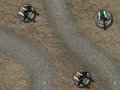

Tower Force 2 ve haritaya dayalı savunma kurulumu
Tower Force 2 seni bir bulmaca savunma mücadelesine sokar; her yerleştirme önemlidir, çünkü düşmanların kritik bir noktaya ulaşmasını durdurman gerekir. Dört haritadan birini seçersin, sol taraftaki menüden silahları yerleştirirsin ve ancak sonra dalgayı harekete geçirirsin.
İlk dalgadan önce savunmanı kur
Kurulum ekranı maçın kalbidir: menüdeki bir silaha tıkla, onu istediğin yere taşı ve saldırı başlamadan önce hattını düzenle. Bu hazırlık aşaması, geç tepki vermek yerine boğaz noktaları ve koridor kapsaması üzerine düşünmene alan tanır.
Düşman yalnızca Yeni Dalga düğmesine bastıktan sonra ilerlediği için tempo senin elindedir. İndirme ve kayıt gerektirmeyen bir tarayıcı savunma oyunu olarak oynanır, böylece doğrudan bir sonraki denemeye geçebilirsin.
Kule savunması baskısıyla hattı tut
Tüm koşu, stratejik açıdan önemli tek bir konumu korumaya dayanır; bu da her silah seçimini önemli kılar. AOD - Art Of Defense'in koridor ve dalga yapısını seviyorsan, aynı kule savunması odağı burada daha yalın bir biçimde görünür.
Bu durum onu Tower Defenders'a da yaklaştırır; burada da ana zorluk, akıllı yerleştirmeyle haritayı kilitlemektir. Daha güçlü bir dalga savunması hissi için Doomsday Tower Defense aynı tür baskıya yaslanır.
Harita seçimi, dalga zamanlaması ve benzer savunmalar
Dört harita seçimi, rotalar ve açık alanlar silahlarının en iyi nerede çalışacağını şekillendirdiği için her koşuya küçük bir taktik dokunuş katar. Bu yönüyle, yerleştirme ve koridor kontrolünü stratejisinin temeli olarak kullanan Cursed Treasure 2 ile de doğal biçimde bağlantı kurar.
Düzenin hazır olduğunda, Yeni Dalga düğmesi planlamayı eyleme çevirir ve savunmanın tamamı bir anda test edilir. YaYoYe'de kule savunması sayfalarını seviyorsan, bu oyun odağı önce konumlandırmaya, sonra baskıya verir.