

State.io: capture adjacent zones with a bigger army count
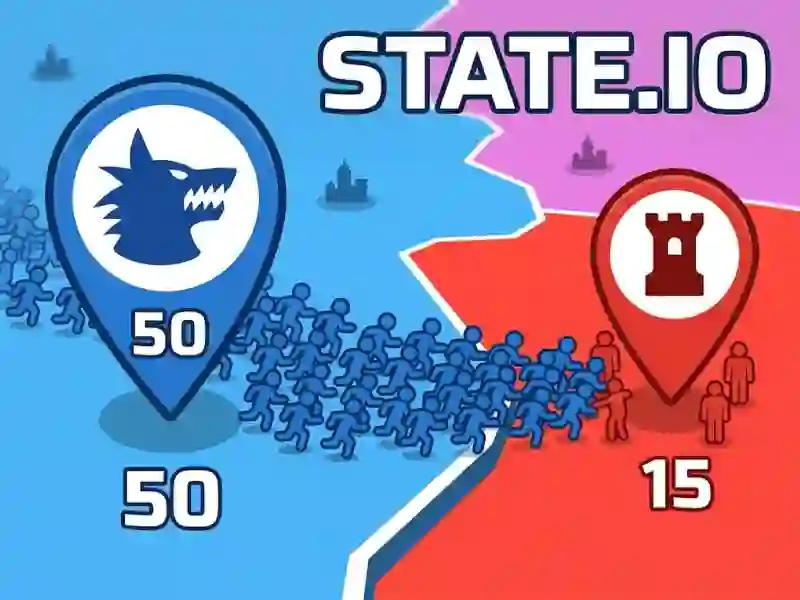
In this simulation game, you watch a map split into color-coded regions and use the number in your blue city to judge which red area you can take next. Every move is about picking a target with a smaller force, then watching that border flip over as your side spreads.
Choose weaker lands and keep your border moving
The core rule is simple but demanding: click the territory you want to conquer only when its number is lower than yours. That turns each push into a small calculation, because one bad choice can leave your front line exposed and slow your expansion across the board. The pace is steady and the pressure comes from deciding where to strike next, no download and no signup.
Defend your blue zones while you push outward
As your color spreads, you need to balance attack and defense instead of grabbing every open space at once. The source mentions blocking and destroying enemy towers too, which means you are not just painting territory; you are also trying to stop rival positions from holding the line. If you enjoy territory control and war tactics, the game keeps every border dispute focused on numbers and position.
Army numbers decide the tempo of each battle
The number inside your city mark is the most important clue on the map, since it shows how many troops you can send into the next fight. That makes the experience closer to tactical battle planning than raw clicking, especially when you start comparing neighboring zones and looking for the weakest opening. Fans of Kings Clash will recognize the appeal of choosing fights by strength, while Count Master 3d offers a similar focus on growing a crowd before you clash.
You can also try Grow Empire: Rome for another army-building angle, or Battle of Orcs if you want a harsher battlefield feel. State.io stays centered on territory takeover and the clean back-and-forth of taking one region, then the next.