

Lovely Doll Creator och dess anime-dockredigerare med fokus på ansiktet
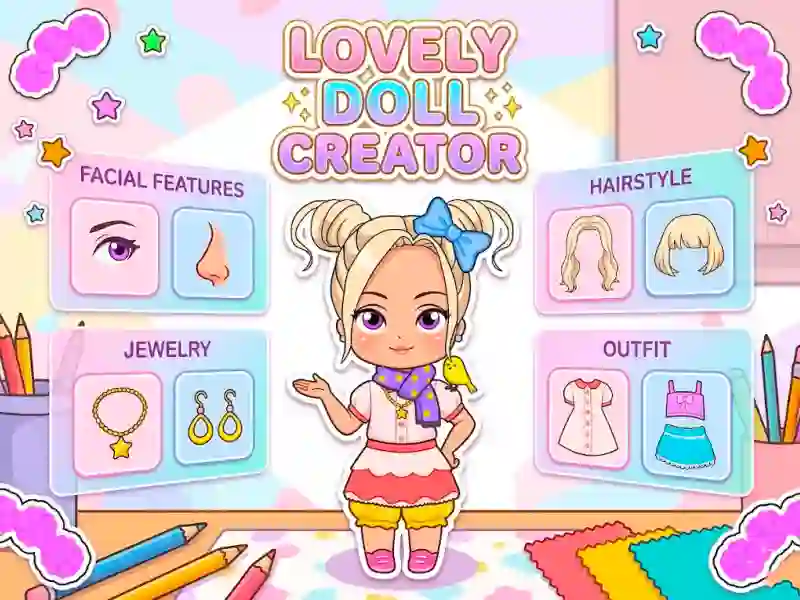
Lovely Doll Creator ger dig ansvar för ett anpassat porträtt som börjar med ansiktet innan du går vidare till kläder. Du väljer hudton, ögonfärg, ögonform, näsform, hårlängd, hårfärg, accessoarer och outfits, så varje ändring formar om karaktären allt eftersom. Det passar naturligt på hyllan för För tjejer, och webbläsarupplägget gör det enkelt att testa idéer utan att lämna sidan.
Bygg ansiktet före outfiten
Den tydliga twisten är att ansiktet ändras först, så du klär inte bara en förinställd docka. Det gör små justeringar viktiga, särskilt när du jämför olika ögonformer eller byter en hårfärg mot en annan. Om du gillar utklädning- och designspel ger det här dig ett mer karaktär-för-karaktär-sätt än ett enkelt klädställ.
Mus eller tryck håller ändringarna snabba
Du kan använda mus eller tryckkontroller, vilket fungerar bra oavsett om du är på telefon, surfplatta eller laptop. Det gör det enkelt att klicka dig igenom frisyrer, justera ansiktet och se hur en detalj förändrar hela avataren i ett format för webbläsarspel utan nedladdning och utan registrering. Tempot passar Anime-looken, eftersom porträttet byggs kring rena, samlarvänliga drag.
Hår, mode och accessoarkombinationer
När ansiktsdetaljerna är satta kan du gå vidare till kläder och accessoarer för att avsluta dockan. Hårlagret betyder mycket här, eftersom ett byte av längd eller färg kan ändra silhuetten direkt, vilket är varför vinkeln med hårstyling känns så viktig. För liknande avatarbyggare med starkt fokus på karaktärsredigering fungerar Chibi Doll Avatar Creator, Manga Lily och Vortella’s Dress Up bra som uppföljare.
Eftersom du kan behålla en grundlook och bara justera en sak i taget fungerar det bra när du vill jämföra idéer sida vid sida.