

Dragon Simulator 공중 전투와 드래곤 전투
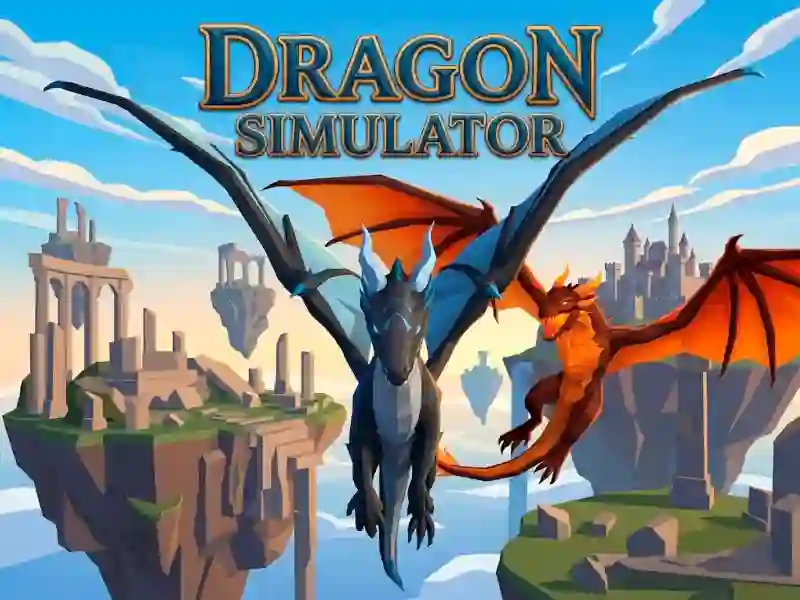
Dragon Simulator는 이동과 공격 타이밍이 모두 중요한 3D 드래곤 전투로 여러분을 데려가요. 판타지 아레나에서 다른 드래곤과 맞붙으며, 비행하고 급강하하고 가까이 파고들게 돼요. 아케이드 스타일로 실행되며, 다운로드 없이 가입 없이 즐기는 브라우저 게임이에요.
열린 전투에서 날고, 전력 질주하고, 피하세요
조작은 관리할 것이 많아요: WASD나 방향키로 드래곤을 움직이고, Space로 하늘로 떠오르며, L Shift로 속도를 더해요. Q로 점프하고, C로 더 아래로 내려가며, 다른 드래곤이 너무 가까이 오면 R로 피할 수도 있어요.
화염 숨결, 파이어볼, 근거리 공격
전투는 원거리와 근접 공격이 섞여 있어, 거리와 상황에 따라 화염 숨결 콤보, 파이어볼, 근접 공격 사이를 바꿀 수 있어요. 그래서 각각의 충돌이 조금씩 다르게 느껴지며, 특히 공중에서 다른 드래곤의 움직임을 따돌리려 할 때 더 그래요. 마법과 전투 태그가 여기에 자연스럽게 어울리며, 드래곤이 핵심 테마예요.
지도, 채팅, 일시정지 도구
인터페이스에는 M의 지도, T의 채팅 키, 그리고 일시정지 메뉴의 Esc가 포함돼요. 이런 추가 기능은 적을 쫓으면서 아레나를 살피고 언제 밀어붙일지 물러설지 정하는 데 도움이 돼요. 공중 난투를 좋아한다면 Dragon Simulator 3D가 드래곤 비행과 전투에 역시 초점을 맞춰 기계적으로도 아주 비슷해요.
이 게임의 판타지 분위기는 큰 날개, 주문 같은 공격, 돌아다니는 움직임을 살려내며, 3D 태그와도 잘 어울려요. YaYoYe에서 바로 들어가 다양한 공격 거리도 시험해 볼 수 있어요.